


Fluke 802EN Vibration Meter
Original price was: $2,023.00.$1,720.00Current price is: $1,720.00. .( $1,892.00 inc. GST )
For all your equipment calibration needs, visit our MyCalibration website.
 Free Delivery on orders over $1000
Shipping time may vary for certain products*

Product Enquiry
If you would like more information regarding this product, simply email us here.

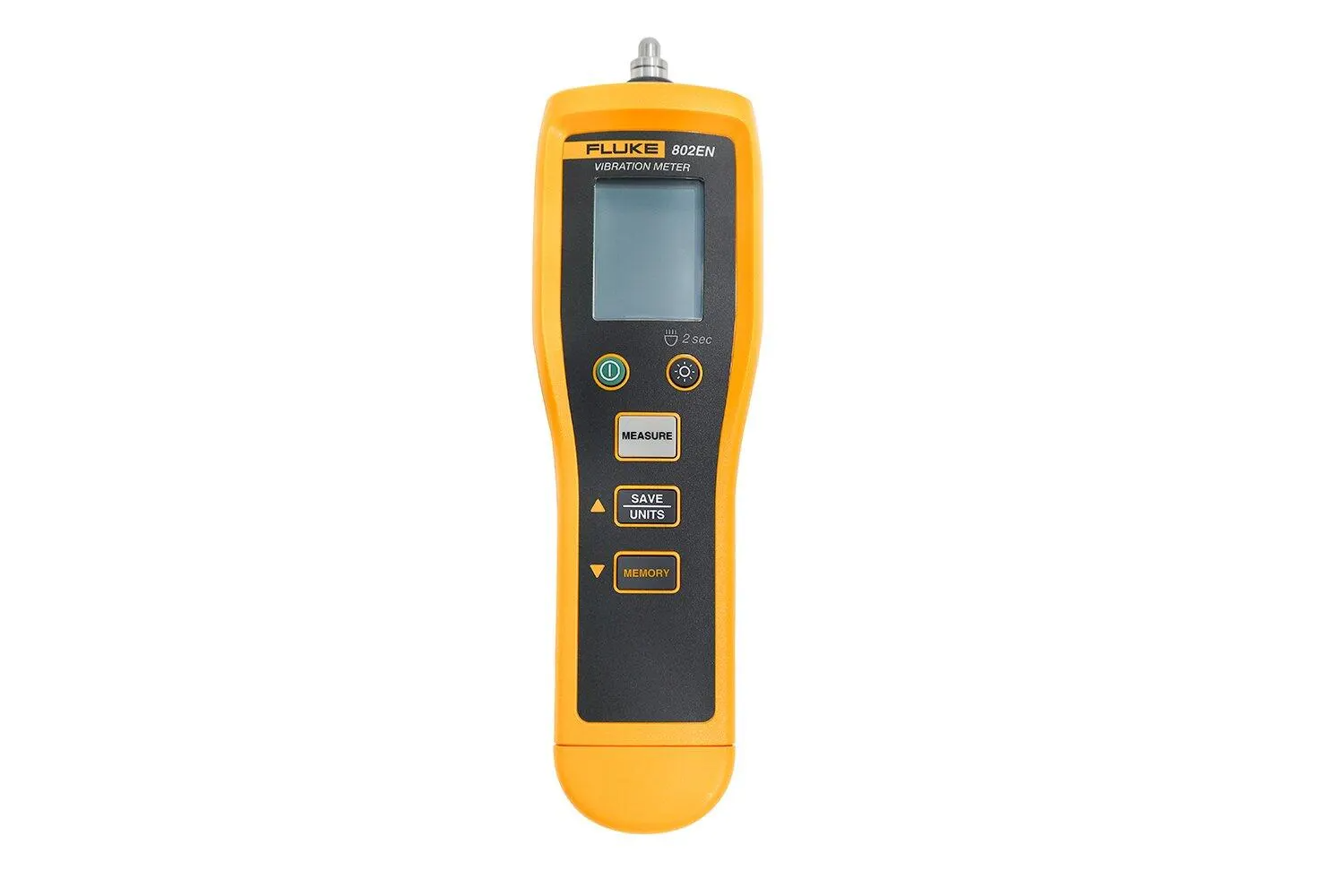
The Fluke 802EN vibration meter gives maintenance crews a quick overall vibration reading on motors, pumps, fans and gearboxes, with no analyst training needed. Press one button for acceleration, velocity or displacement, store up to 99 readings, and listen to the machine through headphones. Light, simple and ready to test out of the box, it helps you decide which assets need a closer look. Request a quote from Rapid-Tech today.

802EN Vibration Meter – One-Button Machine Vibration Screening
Know Which Machines Need Attention Before They Stop the Line
Most rotating equipment gives plenty of warning before it fails. A bearing wears, a coupling drifts, a mount works loose, and vibration climbs well before anyone hears a problem. The trouble is that many maintenance teams have no fast way to check for it. Full vibration analysis takes specialist gear and a trained analyst, and neither can get around every pump and fan on the site each week. So the walkaround often comes down to a hand on the housing and an experienced ear.
That method depends on who’s on shift, and it leaves nothing to compare next month.
The Fluke 802EN vibration meter fills that gap. It’s a handheld screening tool for overall machine vibration, built for the technician doing the rounds rather than the reliability specialist back at the desk. You get a number you can record, repeat and act on, and you can use it to decide whether a machine keeps running, goes on the watch list or gets booked in for further diagnosis.
What the Fluke 802EN Does
The 802EN pairs a built-in piezoelectric accelerometer with a very simple operating routine. Fluke quotes around six seconds to an assessment result. There are no machine profiles to set up and no route to load before you can start.
It measures three vibration parameters:
| Parameter | Range | What it’s commonly used for |
|---|---|---|
| Acceleration (m/s² peak) | 0.1 to 199.9 m/s² | Higher-frequency vibration, which can point to issues worth a closer look in bearings and gears |
| Velocity (mm/s rms) | 0.1 to 199.9 mm/s | General machine condition, and the unit used on ISO severity charts |
| Displacement (mm peak-peak) | 0.001 to 1.999 mm | Lower-frequency movement on slower machinery and structures |
Readings are metric, which suits Australian maintenance records and severity charts without any conversion.
How a Vibration Check Works
- Power on. Hold the power button for just over a second. The meter opens on the unit you last used.
- Choose your unit. In standby, cycle through LO m/s², HI m/s², mm/s and mm.
- Position the sensor. Press the tip against the test surface at 90°. An angled tip affects accuracy.
- Measure. Hold the measure button until the reading settles, then release. The value holds on screen automatically.
- Save it. The screen prompts you to save, and one press stores the result as a numbered record.
Fluke’s tip for the acceleration range: the meter doesn’t measure frequency, so you won’t know in advance which band your vibration sits in. Take a reading on both LO and HI, and if they differ, use the higher value to judge the machine’s condition.
Three Ways to Reach the Measurement Point
Machines are rarely laid out with the tester in mind. Guards, tight plant rooms and awkward mounts can all get in the way, so the 802EN supports three measurement set-ups:
| Mode | Best for | What you need |
|---|---|---|
| Basic Test | Bearing housings and motor casings you can reach directly | Included: the built-in sensor |
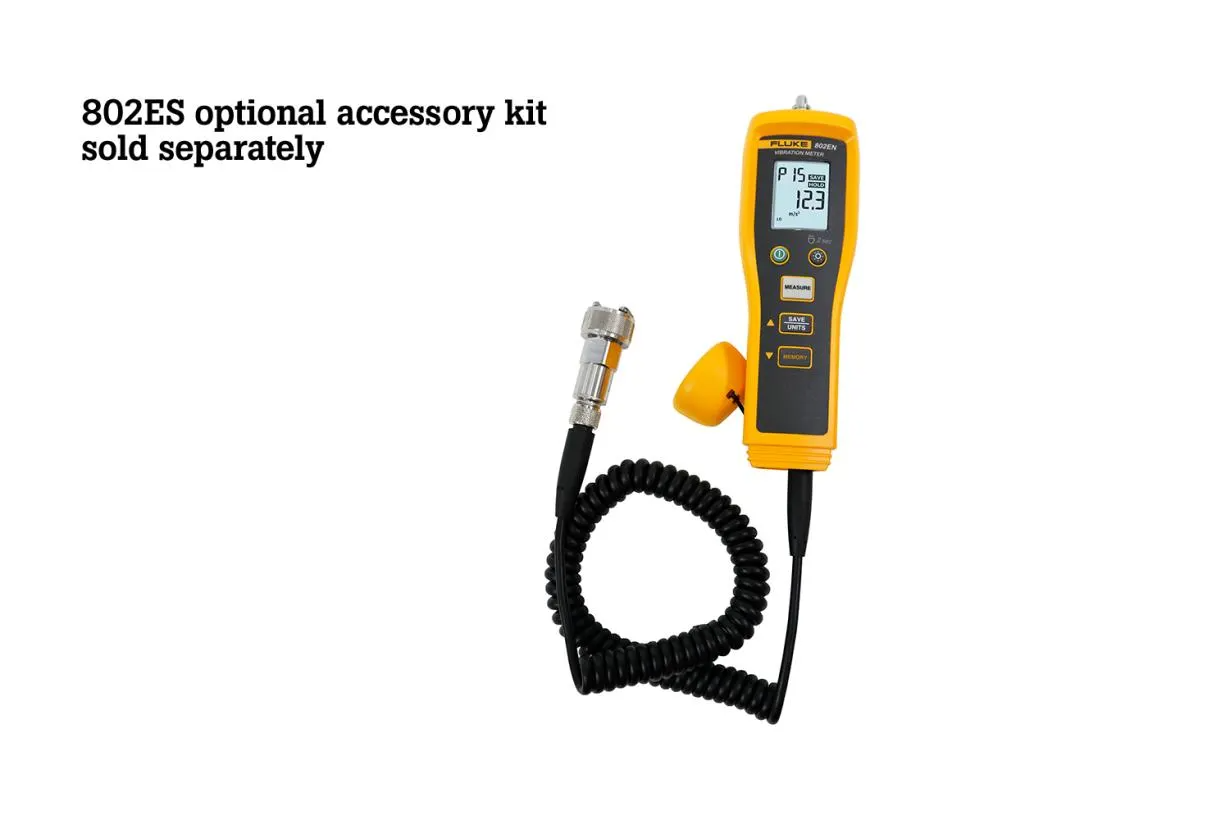
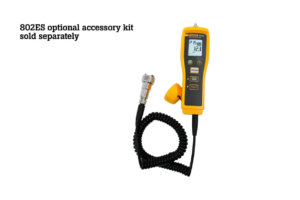
| Extension Rod | Measurement points that sit further in or are awkward to reach | Optional 802ES accessory kit |
| External Sensor | Locations where the meter body won’t fit | Optional 802ES accessory kit |
With an external sensor connected, the screen shows ACCY and the internal sensor switches off automatically, so it’s clear which one you’re reading from.
Listen to the Machine as Well
The 3.5 mm audio output lets you plug in your own headphones and listen for unusual machine noise. It’s a handy second opinion when a number looks borderline, or when you want to compare a suspect machine with a healthy one nearby. Headphones aren’t supplied.
Making Sense of the Reading
A number only helps if you’ve got something to compare it with. The 802EN gives you the reading, and you interpret it against a reference. Two approaches work well.
Compare against ISO 10816-1. Fluke’s datasheet includes a severity chart based on this standard, which gives general guidelines for vibration measured on non-rotating machine parts. Compare your mm/s reading with the column for your machine class:
| Velocity (mm/s rms) | Class I – Small machines | Class II – Medium machines | Class III – Large, rigid foundation | Class IV – Large, soft foundation |
|---|---|---|---|---|
| 0.28 | Good | Good | Good | Good |
| 0.45 | Good | Good | Good | Good |
| 0.71 | Good | Good | Good | Good |
| 1.12 | Satisfactory | Good | Good | Good |
| 1.80 | Satisfactory | Satisfactory | Good | Good |
| 2.80 | Unsatisfactory | Satisfactory | Satisfactory | Good |
| 4.50 | Unsatisfactory | Unsatisfactory | Satisfactory | Satisfactory |
| 7.10 | Unacceptable | Unsatisfactory | Unsatisfactory | Satisfactory |
| 11.20 | Unacceptable | Unacceptable | Unsatisfactory | Unsatisfactory |
| 18.00 | Unacceptable | Unacceptable | Unacceptable | Unsatisfactory |
| 28.00 | Unacceptable | Unacceptable | Unacceptable | Unacceptable |
| 45.9 | Unacceptable | Unacceptable | Unacceptable | Unacceptable |
As a rough guide to the classes:
- Class I: smaller machines, such as production electric motors up to 15 kW
- Class II: medium machines, typically 15 to 75 kW motors without special foundations, or rigidly mounted machines up to 300 kW on special foundations
- Class III: large prime movers and rotating machines on rigid, heavy foundations
- Class IV: large machines on relatively soft foundations, such as turbo generator sets and gas turbines over 10 MW
Track your own baseline. For many sites, the trend is more useful than any single figure. Take readings at the same marked point, in the same unit, under similar load. A machine that’s still rated acceptable but has climbed steadily over three months deserves more attention than one that’s sat at the same level for years.
Where the Fluke 802EN Earns Its Keep
- Plant and manufacturing maintenance: screen motors, gearboxes, compressors and conveyor drives during routine rounds.
- Food and beverage processing: check production-line machinery between runs, keeping the meter away from wet and washdown areas.
- Power generation and process plants: give operators and fitters a consistent first check on auxiliary pumps and fans, within the limits of the site’s hazardous-area rules.
- Building services and HVAC: check cooling tower fans, air handling plant, chillers and circulation pumps before a noisy fan turns into a tenant complaint.
- Water and pumping stations: compare duty and standby pumps, and record readings before and after a bearing change or repair.
- Training: the simple controls and clear units make it a practical teaching tool for vibration basics.
Built for the Daily Rounds
At 220 g, the 802EN is easy to carry all shift, and its soft case keeps it protected in the toolbag. Two AAA batteries provide up to 25 hours of measurement time, so a spare set is cheap insurance and easy to find. The built-in flashlight helps in dim plant rooms and under guards, and the unit powers itself off after five minutes of inactivity to save battery.
Up to 99 readings stay in memory for review on the meter. Once the memory is full, the oldest record is overwritten, so transfer anything you want to keep into your maintenance log regularly.
It has also passed a 1 m drop test. That’s useful protection for an accidental knock, but treat it as a safety margin rather than a licence for rough handling. The piezoelectric sensor is the heart of the meter, and Fluke cautions against hitting, shaking or dropping it.
Is the 802EN the Right Vibration Meter for You?
The 802EN is a screening meter, and it does that job well. It won’t diagnose the root cause of a fault for you. If your team needs automated bearing assessment or connected data, a higher-tier Fluke model is likely a better match.
| Fluke 802EN | Fluke 805 FC | |
|---|---|---|
| Best for | Fast, simple overall vibration checks | Route-based screening with bearing assessment and shared data |
| Bearing assessment | Not offered | Crest Factor+ |
| Severity indication | Compare the reading with a chart | Four-level severity scale |
| Stored readings | 99 | Up to 3,500 |
| Data transfer | No export interface listed | USB and Fluke Connect app |
| Infrared temperature | Not offered | Spot IR sensor |
| Ingress protection | IP40 | IP54 |
| Operating temperature | -10 °C to 50 °C | -20 °C to 50 °C |
| Weight | 220 g | 0.40 kg |
Need to pinpoint why a machine is vibrating? The [Fluke 810 Vibration Tester] is designed to identify and prioritise mechanical problems. Many teams screen first, then send only the machines that need it for deeper analysis.
What’s in the Box
- Fluke 802EN Vibration Meter
- Soft case
- Quick reference guide
- Safety information
- 2 × AAA batteries
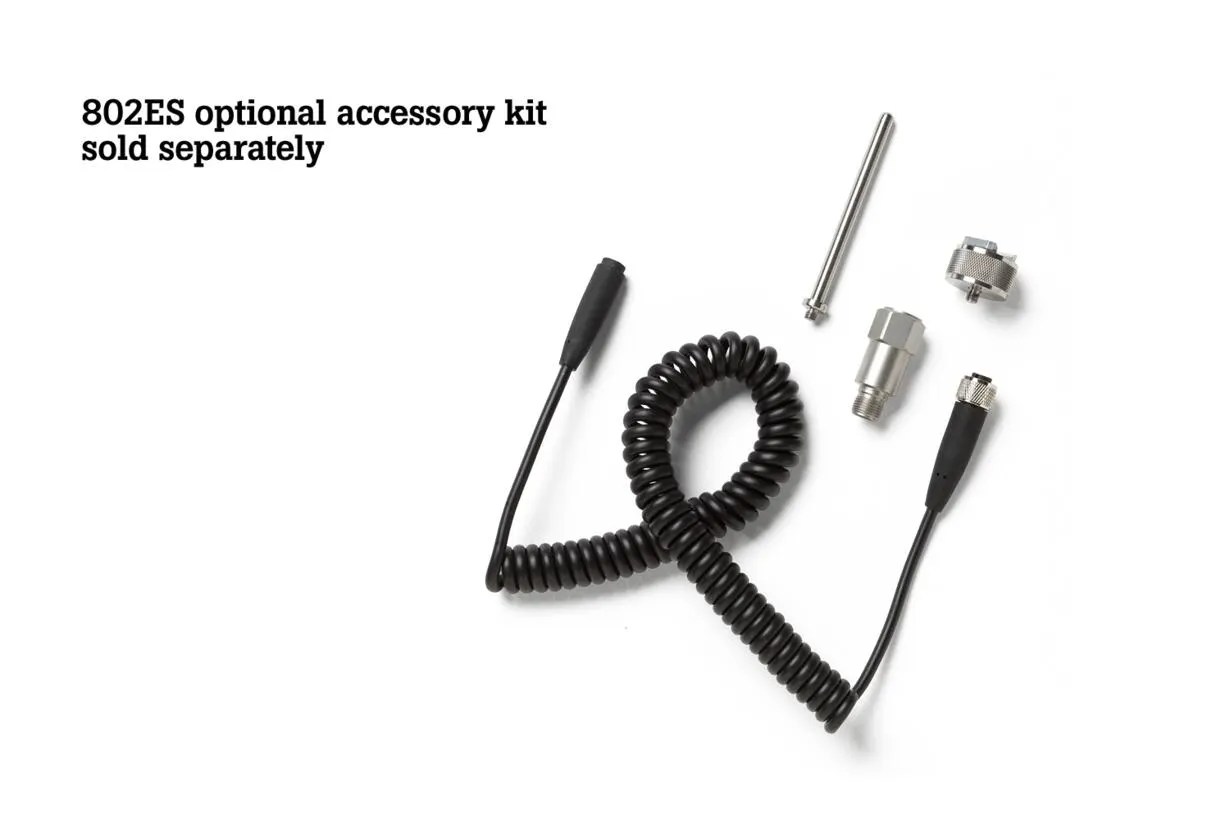
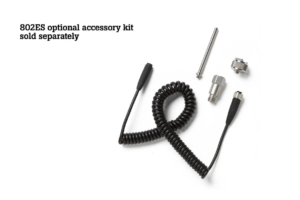
Optional 802ES accessory kit (sold separately): external sensor, extender, magnet base and M12 RF connector spring cable assembly.
Safety Information
This is a mechanical screening tool, not an electrical test instrument. Read all of the safety information supplied with the meter before use. Fluke’s warnings include:
Warning Do not use the Product around explosive gas, vapor, or in damp or wet environments. Do not touch hazardous voltages with the product. These voltages could cause injury or death. Use caution around rotating equipment. Keep cords and straps contained.
Technical Specifications
| Specification | Fluke 802EN | Why It Matters |
|---|---|---|
| Sensor type | Built-in piezoelectric accelerometer | Ready to measure without a separate probe |
| Sensitivity (typical) | 10.00 mV / m/s² ±5% (1 g = 9.8 m/s²) | Reference value for the internal sensor, and useful when matching an external one |
| Frequency response (typical) | 10 Hz to 15 kHz | Covers the sensor’s working band; check the accuracy bands below for each unit |
| Acceleration range | 0.1 to 199.9 m/s² peak | Captures the higher-frequency end of the overall vibration picture |
| Acceleration resolution | 0.1 m/s² | Lets you see small changes between surveys |
| Acceleration accuracy, LO | ±(5% + 2 digits), 10 Hz to 1 kHz | Lower-band accuracy for general machine checks |
| Acceleration accuracy, HI | ±(10% + 5 digits), 1 kHz to 10 kHz | Higher-band reading, with a wider tolerance to allow for |
| Velocity range | 0.1 to 199.9 mm/s rms | Same unit as the ISO 10816-1 severity chart |
| Velocity resolution | 0.1 mm/s | Enough detail to trend a machine over time |
| Velocity accuracy | ±(5% + 2 digits), 10 Hz to 1 kHz | Confidence in readings used for go or no-go calls |
| Displacement range | 0.001 to 1.999 mm peak-peak | Suits lower-frequency movement |
| Displacement resolution | 0.001 mm | Shows small amounts of movement |
| Displacement accuracy | ±(5% + 2 digits), 10 Hz to 1 kHz | Consistent results across surveys |
| Amplitude units | Acceleration: g, m/s²; Velocity: mm/s; Displacement: mm | Metric units for local records |
| External sensor port | M12 (see publisher notes) | Connects the optional 802ES sensor for hard-to-reach points |
| External sensor DC bias | 6 to 7 V dc, 3.5 mA | Check this before using a third-party accelerometer |
| Audio output | 3.5 mm stereo jack | Listen for abnormal machine noise through headphones |
| Memory | 99 readings | Stores a typical round for review on the meter |
| Flashlight | Built in | Helps you find the measurement point in dim areas |
| Auto power off | After 300 seconds of inactivity | Saves battery between measurements |
| Battery | 2 × AAA, IEC LR03, 3 V dc | Easy to replace on site |
| Battery life | 25 hours of measurement | Plenty of use between battery changes |
| Dimensions (L × W × H) | 24.1 × 7.1 × 5.8 cm | Fits in a toolbag |
| Weight | 220 g | Comfortable to carry on long rounds |
| Operating temperature | -10 °C to 50 °C | Suits most plant rooms; not for use below -10 °C |
| Storage temperature | -30 °C to 60 °C | Remove the batteries if storing above 50 °C |
| Operating humidity | 30% to 90% RH, non-condensing | Keep it out of condensing and wet conditions |
| Operating altitude | 2,000 m | Upper limit for use |
| Storage altitude | 12,000 m | Upper limit for storage and transport |
| Ingress protection | IP40 | Not water or dust resistant, so keep it clean and dry |
| Vibration limit | 500.0 m/s² peak | Maximum vibration the meter is rated for |
| Drop test | 1 m | Handles accidental drops, but avoid repeated knocks to protect the sensor |
| Electrical safety | IEC 61010-1, Pollution Degree 2 | Manufacturer’s stated safety standard |
| EMC | IEC 61326-1 (portable, industrial electromagnetic environment); CISPR 11 Group 1, Class A | Intended for industrial and commercial use, not domestic settings |
| Warranty | 1 year (parts, repairs and services: 90 days) | Manufacturer cover; terms and exclusions apply |
| Manufacturer model | FLUKE-802EN | Quote this when ordering |
What is the Fluke 802EN vibration meter?
The Fluke 802EN is a handheld vibration meter for screening the overall vibration of machines such as motors, pumps, fans and gearboxes. It measures acceleration, velocity and displacement using a built-in piezoelectric accelerometer, and it stores up to 99 readings. Maintenance teams use it for quick checks that show which machines need further attention.
How do you use the Fluke 802EN?
Turn the meter on, choose a unit, and press the sensor tip against the machine at 90°. Hold the measure button until the reading is stable, then release it. The value holds on screen and can be saved with one press. Compare the result with a severity chart or the machine’s previous readings.
What can the Fluke 802EN measure?
The Fluke 802EN measures acceleration from 0.1 to 199.9 m/s² peak, velocity from 0.1 to 199.9 mm/s rms, and displacement from 0.001 to 1.999 mm peak-peak. Its sensor has a typical frequency response of 10 Hz to 15 kHz. It can’t measure the frequency of the vibration.
What vibration level is acceptable for an electric motor?
It depends on the machine’s size and mounting. On the ISO 10816-1 chart in Fluke’s 802EN datasheet, a small Class I machine such as a motor up to 15 kW is rated Good at 0.71 mm/s rms, Satisfactory at 1.12 to 1.80 mm/s, Unsatisfactory at 2.80 to 4.50 mm/s and Unacceptable from 7.10 mm/s.
What is the difference between a vibration meter and a vibration analyser?
A vibration meter gives a quick overall reading of how much a machine is vibrating, which helps you decide whether it needs attention. A vibration analyser looks deeper into the vibration signal to help identify the likely cause. The Fluke 802EN is a screening meter, so a further diagnostic step may be needed once it flags a machine.
Frequently Asked Questions
What is the Fluke 802EN used for? It’s used to screen the overall vibration of machinery such as motors, pumps, fans, compressors and gearboxes. Maintenance technicians use the reading to decide whether a machine can keep running or needs further investigation.
Does the Fluke 802EN tell me if a machine is good or bad? The 802EN gives you a vibration value to compare with a reference. Fluke’s datasheet includes an ISO 10816-1 severity chart and suggested limits for common equipment types, or you can compare the reading with that machine’s previous results.
Can the Fluke 802EN diagnose bearing faults? No. The 802EN measures overall vibration and doesn’t offer a dedicated bearing assessment or identify the root cause of a fault. Fluke’s 805 FC adds a Crest Factor+ bearing assessment, and the Fluke 810 is designed to help identify mechanical problems.
What is the difference between the LO and HI acceleration settings? LO covers 10 Hz to 1 kHz and HI covers 1 kHz to 10 kHz. Because the meter can’t measure vibration frequency, Fluke recommends taking a reading on both settings and using the higher value if they differ.
Does the Fluke 802EN come with an external sensor? No. The external sensor is part of the optional 802ES accessory kit, along with an extender, magnet base and M12 RF connector spring cable assembly. The meter comes ready to use with its built-in sensor.
Are headphones included? No. The meter has a 3.5 mm stereo audio output, but you’ll need to supply your own headphones.
How many readings can the Fluke 802EN store? It stores up to 99 readings. When the memory is full, the meter automatically deletes the earliest reading to make room for the new one.
Can I transfer readings to a computer? The specifications for the 802EN don’t list a USB or wireless data connection, so plan on reviewing readings on the meter and entering them into your maintenance records by hand. If you need connected data, consider the Fluke 805 FC.
Can the Fluke 802EN be used in wet or hazardous areas? No. Fluke warns against using it around explosive gas or vapour, or in damp or wet environments. It’s rated IP40, so it isn’t protected against water.
What warranty does the Fluke 802EN have? The meter has a 1-year limited warranty from Fluke, starting from the date of shipment. Parts, product repairs and services are covered for 90 days. Exclusions apply, including disposable batteries and damage from misuse.
AC only Clamps
Battery Analyzers Related Products


Next day delivery
Finance services
Price Match
Technical support
Product training
Calibration servises
Need help? Call our support team 1800 358 531